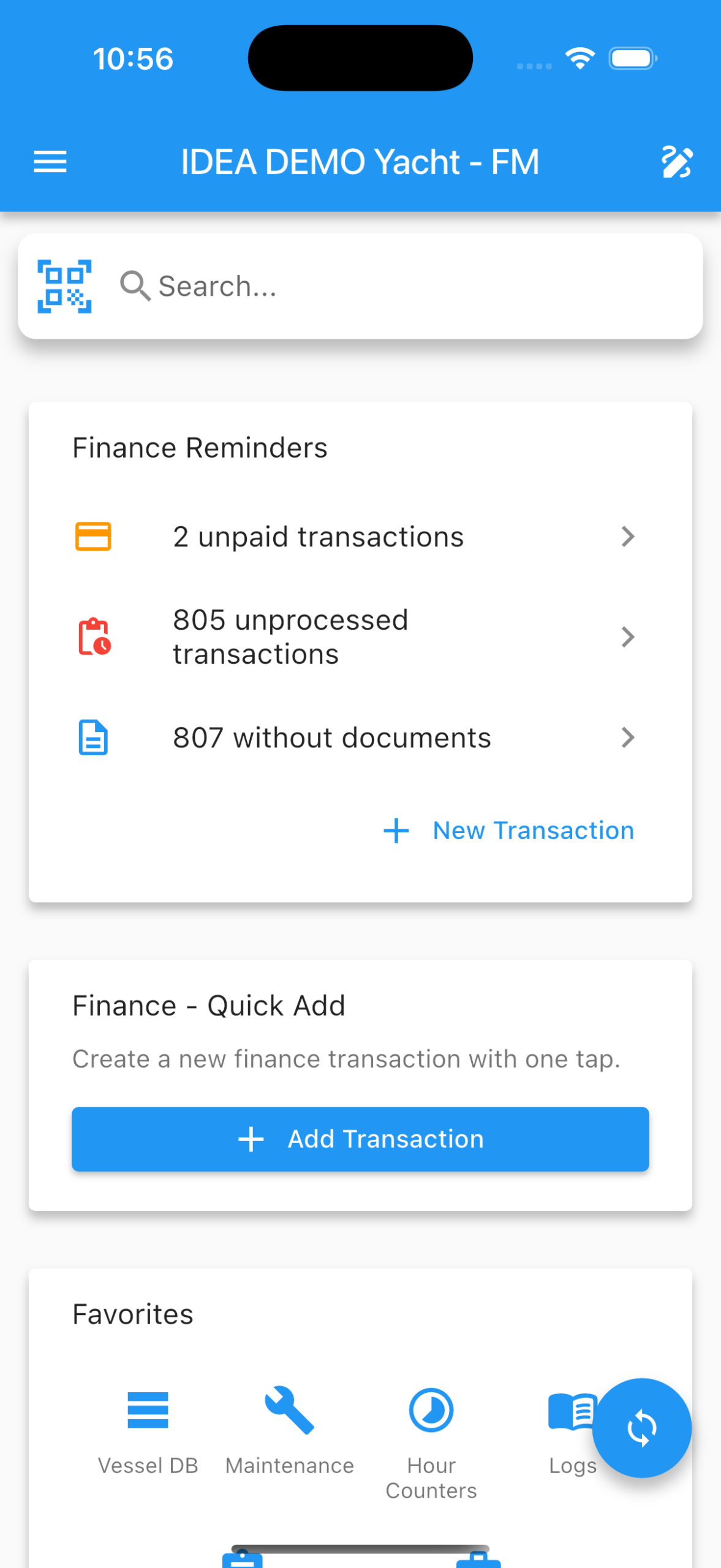
IDEA YACHT Release 2026.2 – Storage Management Made Easy
IDEA YACHT Release 2026.2 – Key Changes
The IDEA YACHT 2026.2 update delivers major improvements across Storage, Finance, Mobile workflows, Maintenance and more. This release focuses on enhancing day‑to‑day usability, aligning Web and Mobile experiences, and expanding automation across departments. Below is an overview of everything included in this version.
Table of Contents
1. New Storage & Search Enhancements (Web & Mobile)
The latest upgrade to IDEA’s Storage Management delivers a faster, clearer, and more intuitive way for crew to locate, organise, and manage items across the vessel. With a redesigned Web interface and a fully aligned Mobile experience, teams can navigate complex hierarchies and filter storages intelligently in far fewer steps. Improved search, smarter filtering, and real‑time sync give crew complete confidence in finding exactly what they need—wherever they are onboard.
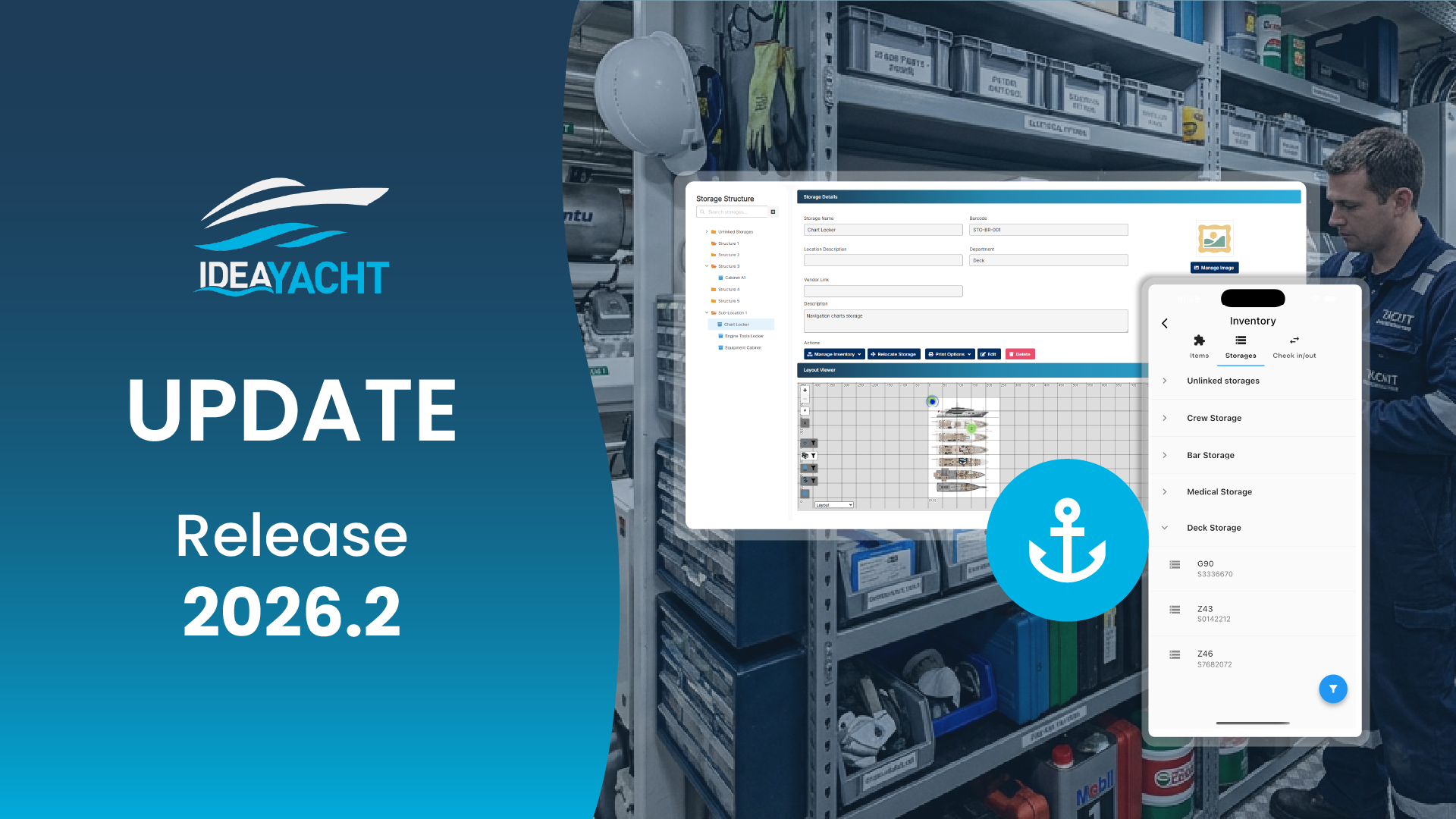
New storage management app
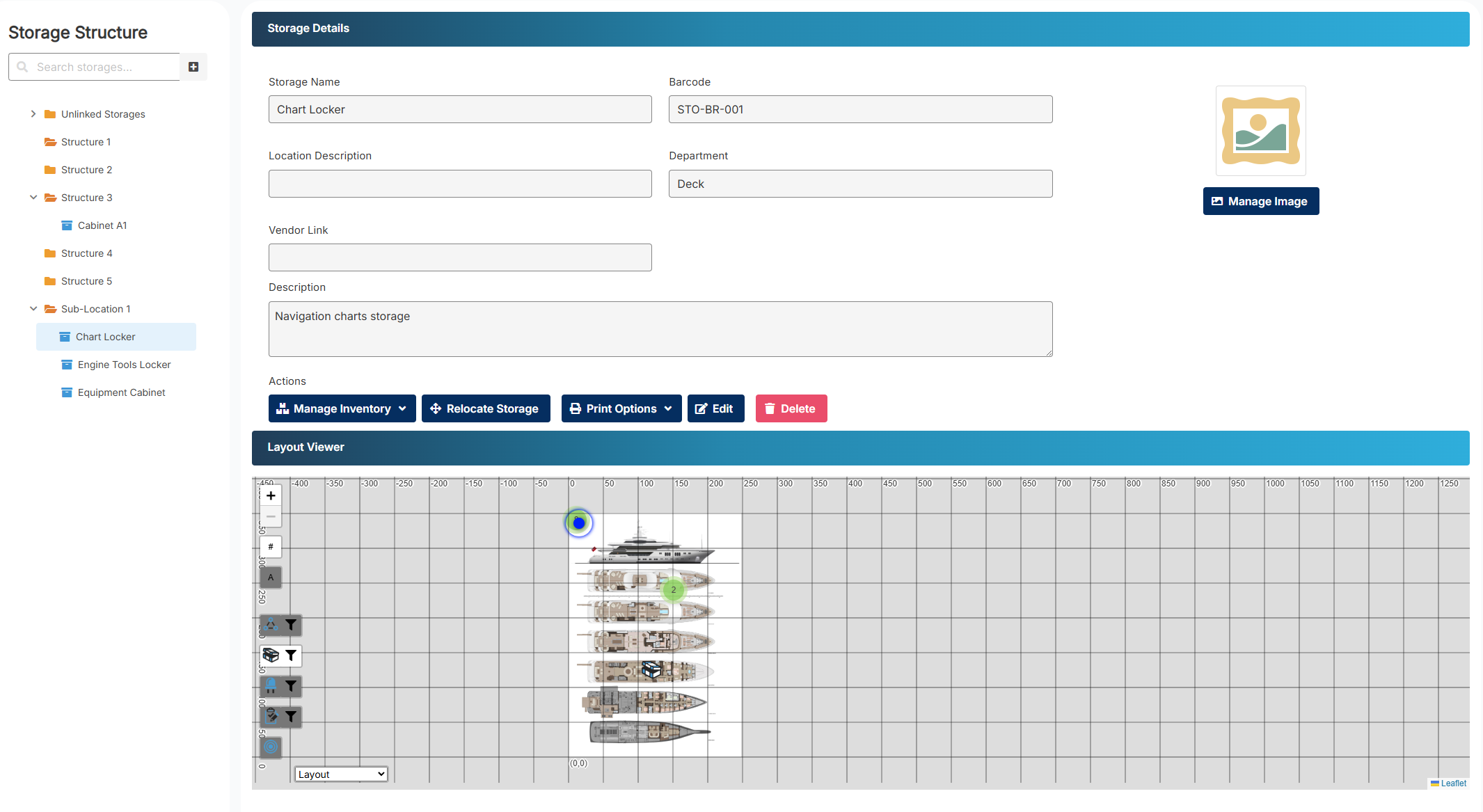
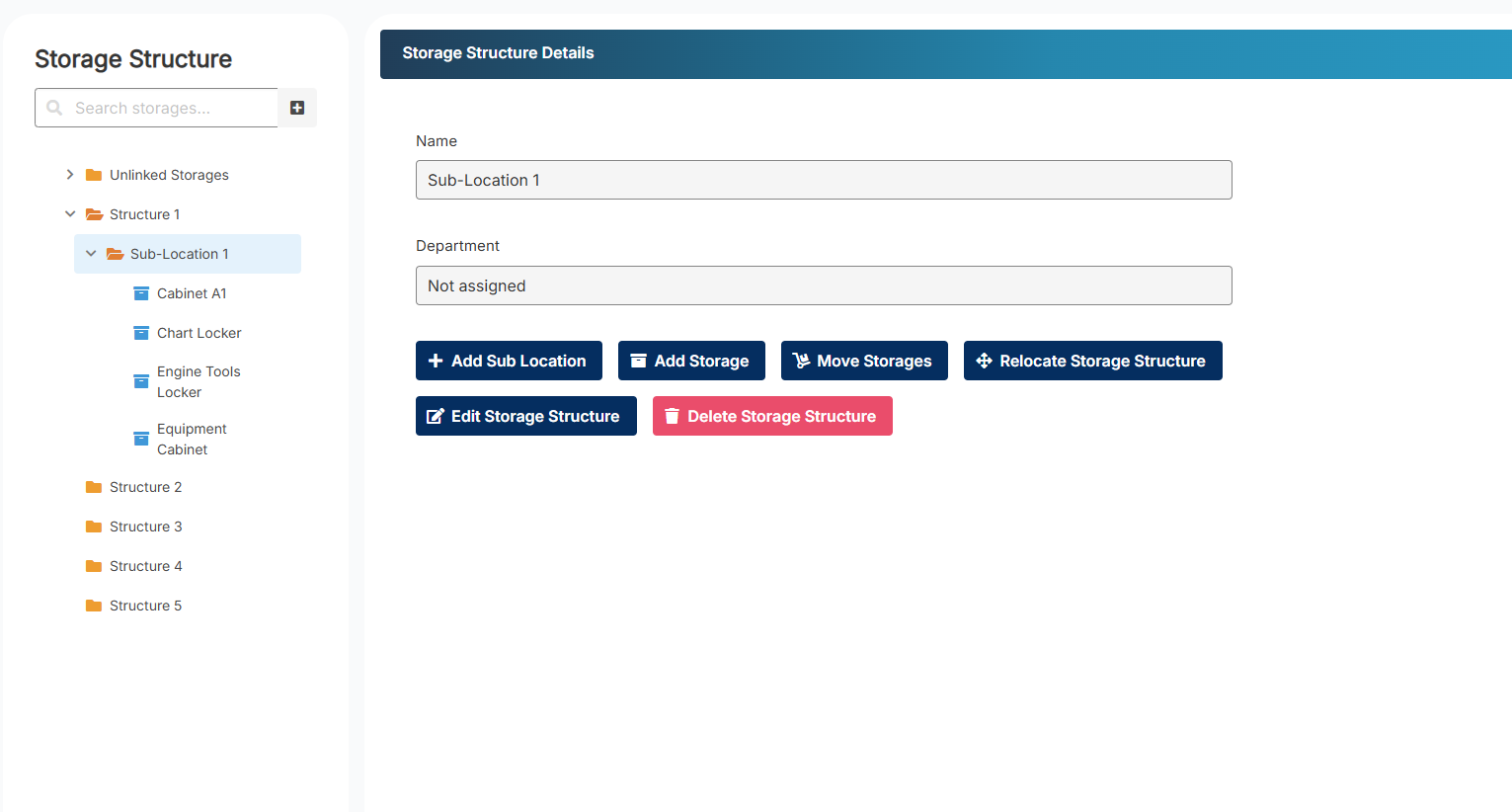
- Three‑panel layout for clear navigation
- Hierarchical tree view with integrated search
- Context‑aware detail panel
- GA viewer with hover highlighting
- Quick actions: relocate storage, view items, open inventory
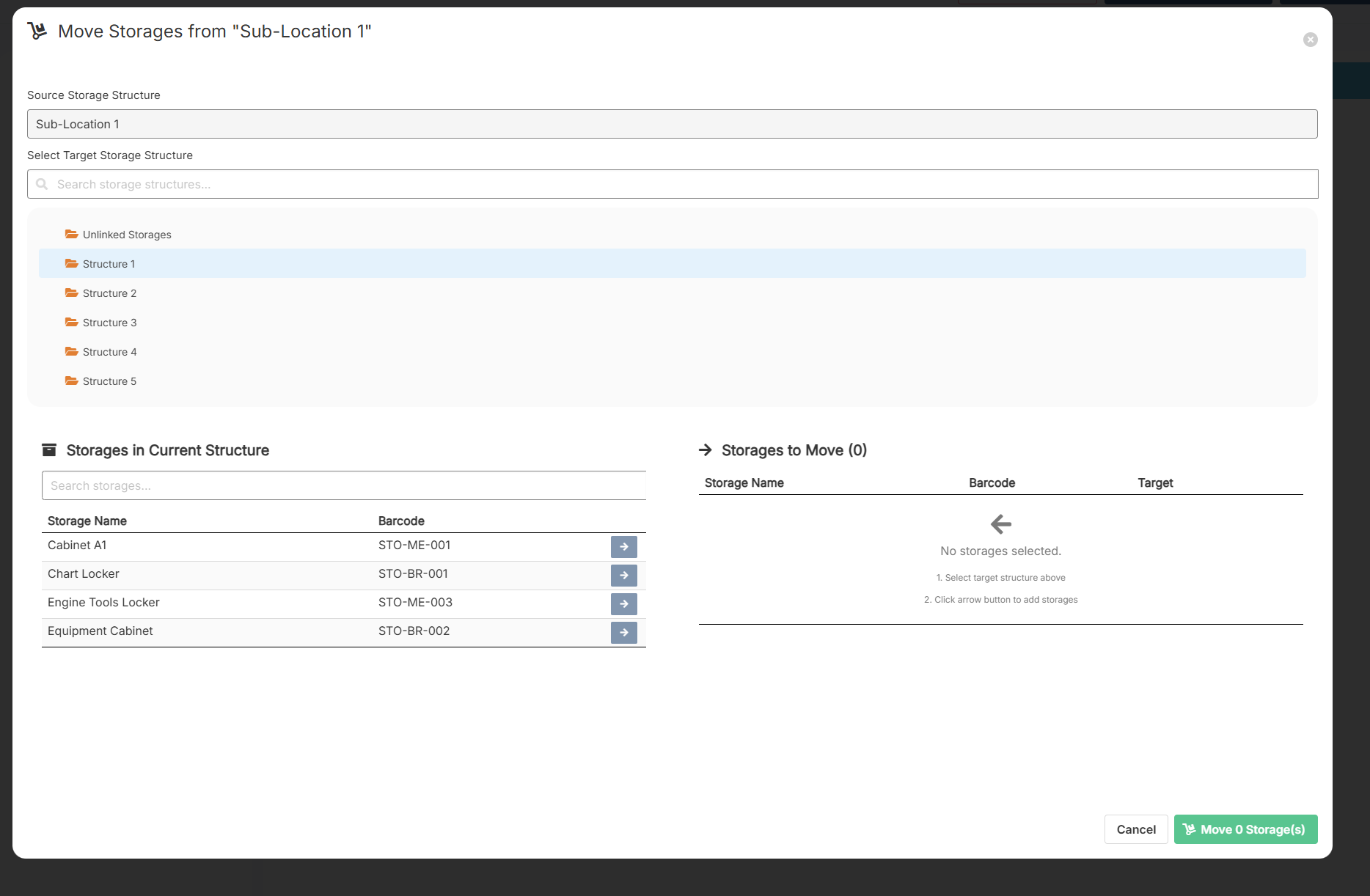
Improved storage selection across IDEA
- Cascading filtering
- Search by layer name
- Grid‑based picker for easier selection
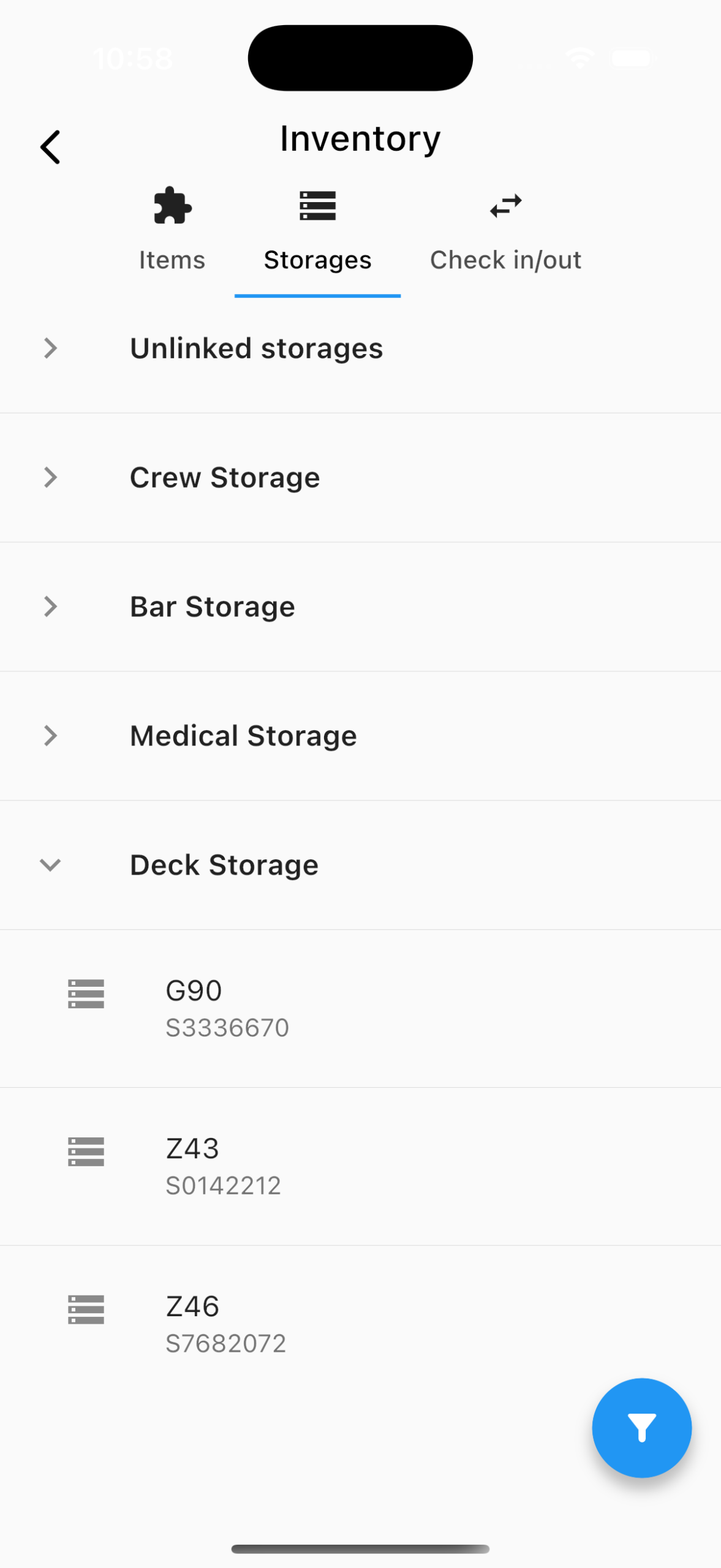
Full hierarchical storage support on Mobile
Mobile now mirrors the complete Storage Layer structure used on Web, including:
- Multilevel storage hierarchy (Deck → Area → Room)
- Consistent navigation that reflects the parent–child layout
- Identical hierarchy mapping across both platforms
Advanced layer‑based filtering
- Filter storage locations at any hierarchy level
- Automatic inclusion of all child layers
- Designed for larger and more complex vessel layouts
Improved global search
- Search by any layer name (e.g., “Main Deck”, “Sun Deck”)
- Partial matches supported
- All results follow department visibility rules and user permissions
Department‑based visibility
- Web‑aligned visibility logic
- Supports “department‑only” viewing
- Fully permission‑aware throughout the app
Extended mobile sync
- Synchronises StorageLayer tables and full hierarchy
- Includes department metadata and new hierarchical fields
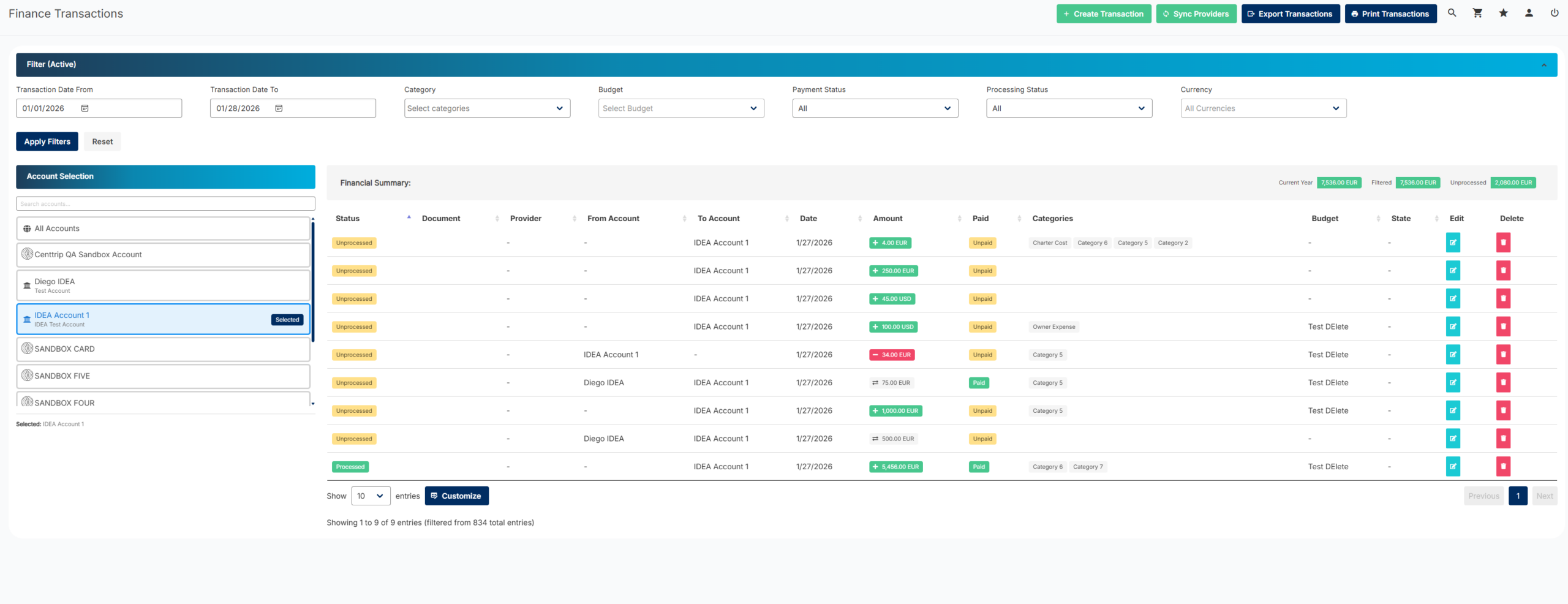
2. Finance Module (Web & Mobile) – Enhanced Financial Control & Efficiency
Bulk update for transactions
A new guided wizard allows you to:
- Update hundreds of transactions simultaneously
- Modify state, category, budget, paid status, processed status, or recipient
- Review changes on a confirmation screen before applying
Improved recipient filtering
- Searches all recipient data fields instead of name only
New description column
- Shows truncated text with a full preview available on hover
Expanded provider information
- More comprehensive data displayed in the Provider Info tab
New quick‑access shortcuts
From the Finance Transactions page, you can jump directly to:
- Connect Finance Provider
- Create local finance account
- Finance Manage – Accounts
Additional permission control
- New permission option to restrict access to Finance Manage – Overview
Updated Centtrip integration
- Credentials now securely stored in the Finance Gateway
- Streamlined API authentication
- Optional “Sync now” prompt after connecting a provider
- Enhanced disconnect workflow with options to retain or delete provider data
Transaction creation wizard
- Step‑by‑step creation process
- Duplicate detection
- Automatic field prefill when launched from a scanned receipt
Mobile transaction detail view
- View full transaction information
- Edit, mark as done, or add attachments directly
New dashboard widgets
- Pending transactions reminder
- Quick‑create transaction widget (persists through updates)
Built‑in document/receipt scanning
- Auto‑matches scanned documents to existing transactions
- Option to create a new transaction when no match is found
New Finance APIs
- Mobile now supports Create, Edit, Match, and Search
- Fully permission‑aware
- Supports offline mode with improved error handling
3. Maintenance & Tasks
Copy one‑time tasks
One‑time tasks can now be duplicated
Works exactly the same way as copying periodic tasks
4. Additional Enhancements
IMO report generation from “Enter Hours”
- Crew members can generate their own monthly IMO report directly from the Enter Hours section
New department filter for “Entered Hours”
- All reports and exports in this area now support the filter