

Your yacht’s data,
at your command
CLIVE AI brings answers, summaries and reports into IDEA, right where your vessel’s data already lives. Ask in plain language from the screen you are on.
- Answers drawn from your own vessel records
- Links back to the record so you can check it
- No extra system and no extra login

Meet CLIVE
The team behind the market-leading yacht management software IDEA YACHT on CLIVE and why they built it, what it does today and where it’s heading.
Full release at the end of November 2026
CLIVE AI is in beta on selected vessels right now, as of release 2026.4.1. What their crews tell us is shaping the final version, which rolls out to everyone at the end of November 2026.
Want to try it first? Join the beta →- NowBeta on selected vessels, as of release 2026.4.1
- 17–19 NovLive demos at METSTRADE, Stand 08.361
- End of NovemberFull release to all IDEA YACHT customers
- w/c 30 NovCLIVE AI webinar: see it in action and put your questions to the team
Ask it the way you’d ask your chief engineer
Talk to it like a colleague. You don’t need special wording.

Stop hunting through menus. Just ask.
Your IDEA records already hold the answers: maintenance tasks, spare parts, stock, purchase orders, crew and your vessel’s manuals. Finding them mid-task means knowing which module to open and which filter to set. CLIVE takes the question in plain language and goes to the records for you.
You may already know him. Captain Clive started out as the IDEA Academy mascot. Now he’s the assistant inside IDEA.
Answers in seconds, not menus
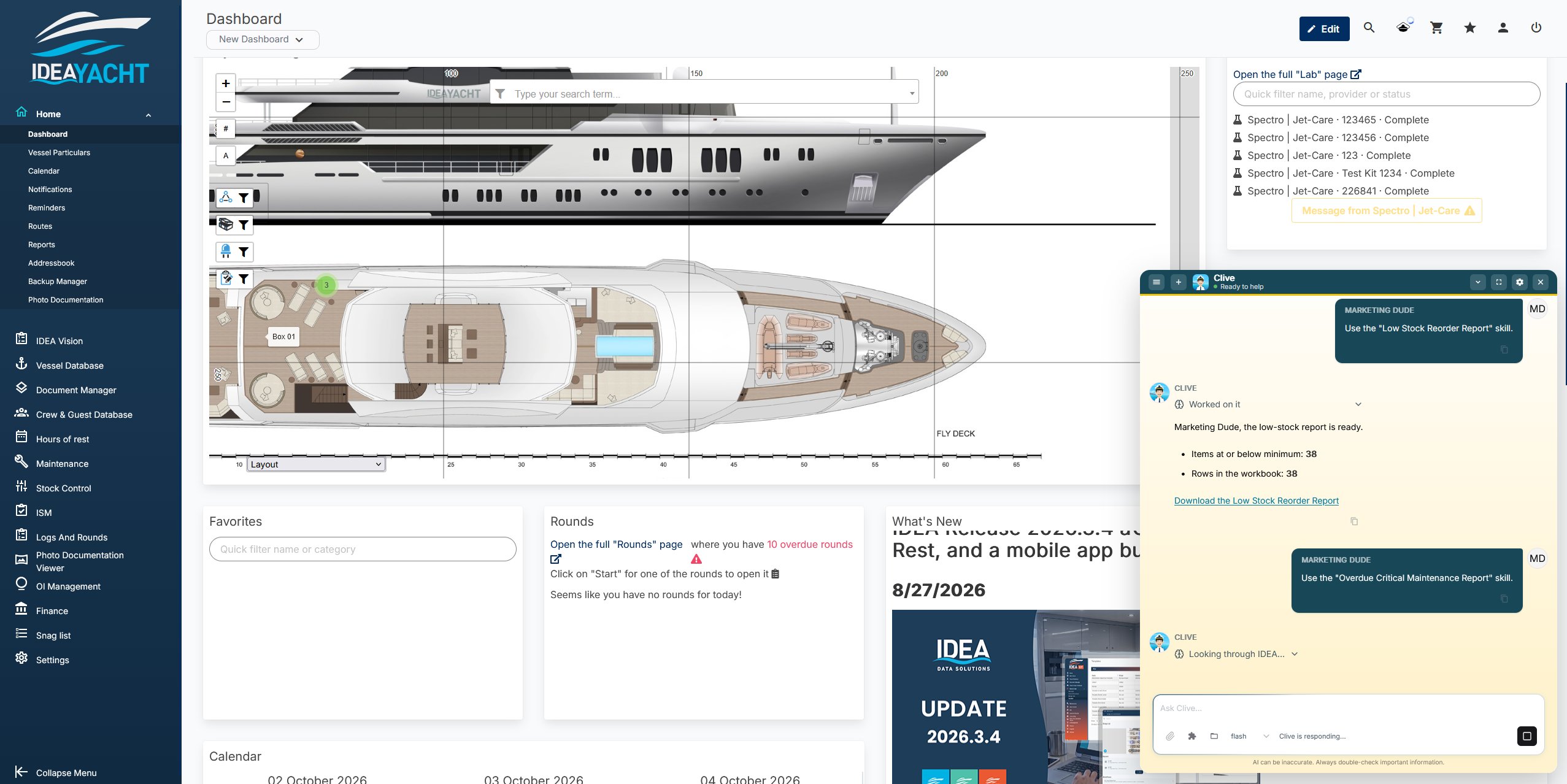
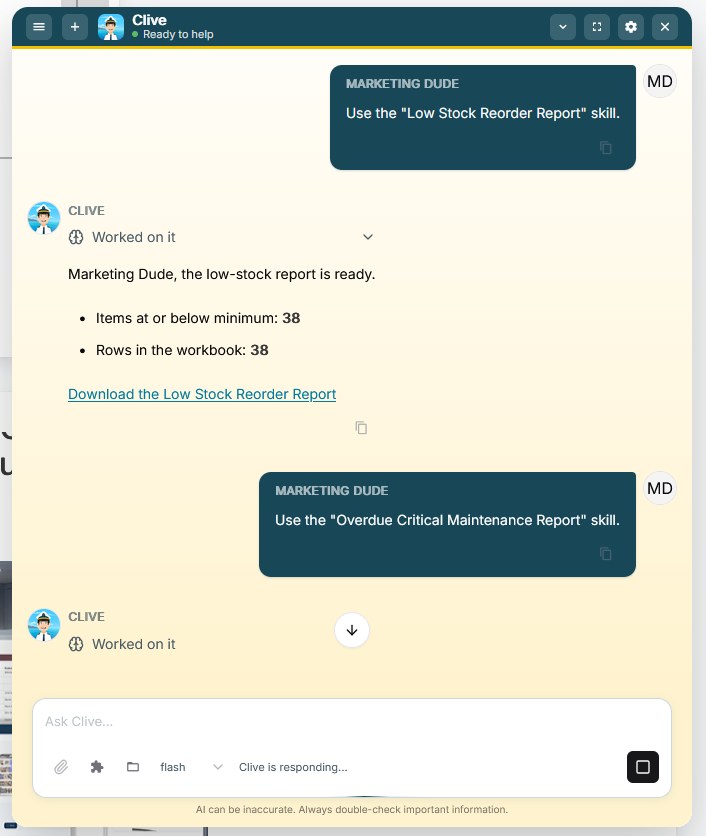
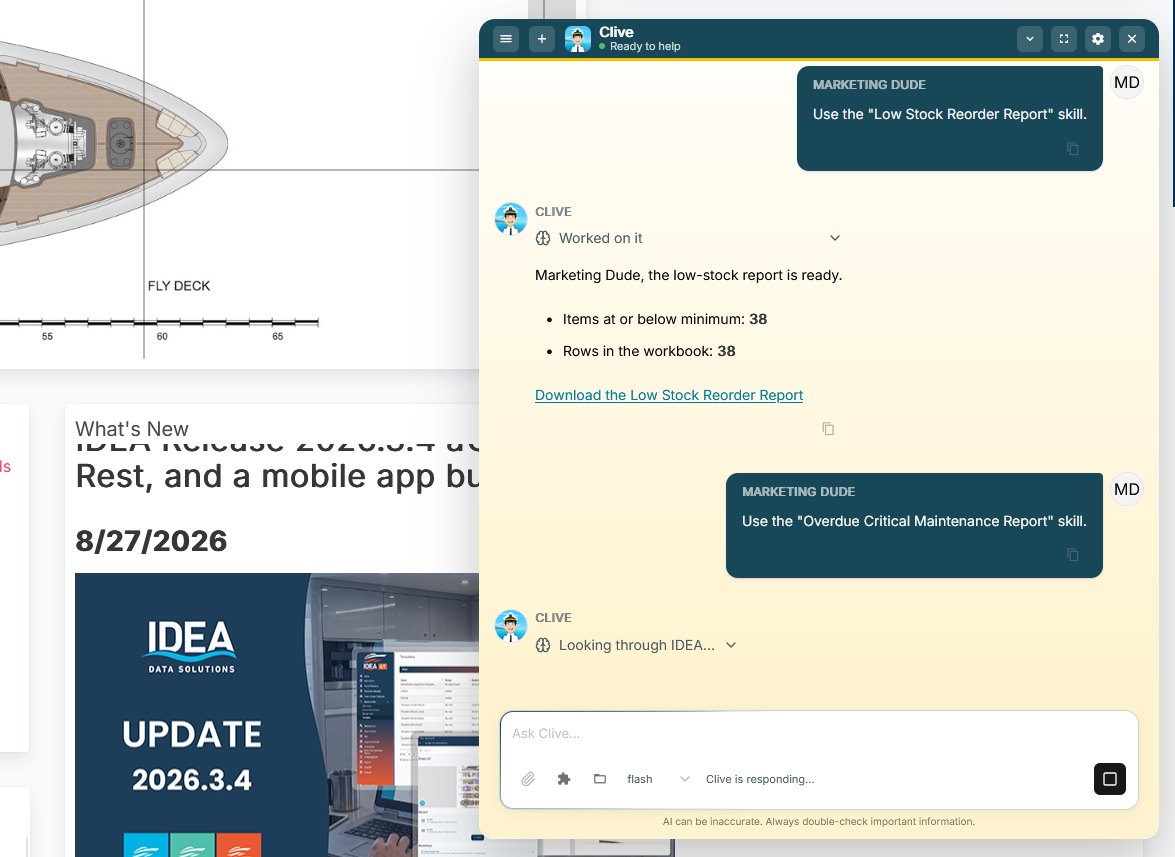
Open CLIVE from the toolbar on any screen and ask. It reads your live IDEA data and answers from it, explains how to do things in IDEA and can read the page you have open, without you leaving it.
- Step-by-step help for any IDEA workflow
- What’s overdue, what’s due soon and what’s running low
- Excel, CSV and PDF reports built on request
Your data, your decision
CLIVE answers from your vessel’s own IDEA data and links back to the record, so you can check anything important before you act. When it quotes a manual, it gives the file name and page number.
- It only ever sees what you can see in IDEA
- Stock changes wait on a card until you press Apply
- Supports your compliance work, never replaces class or flag
Already inside IDEA
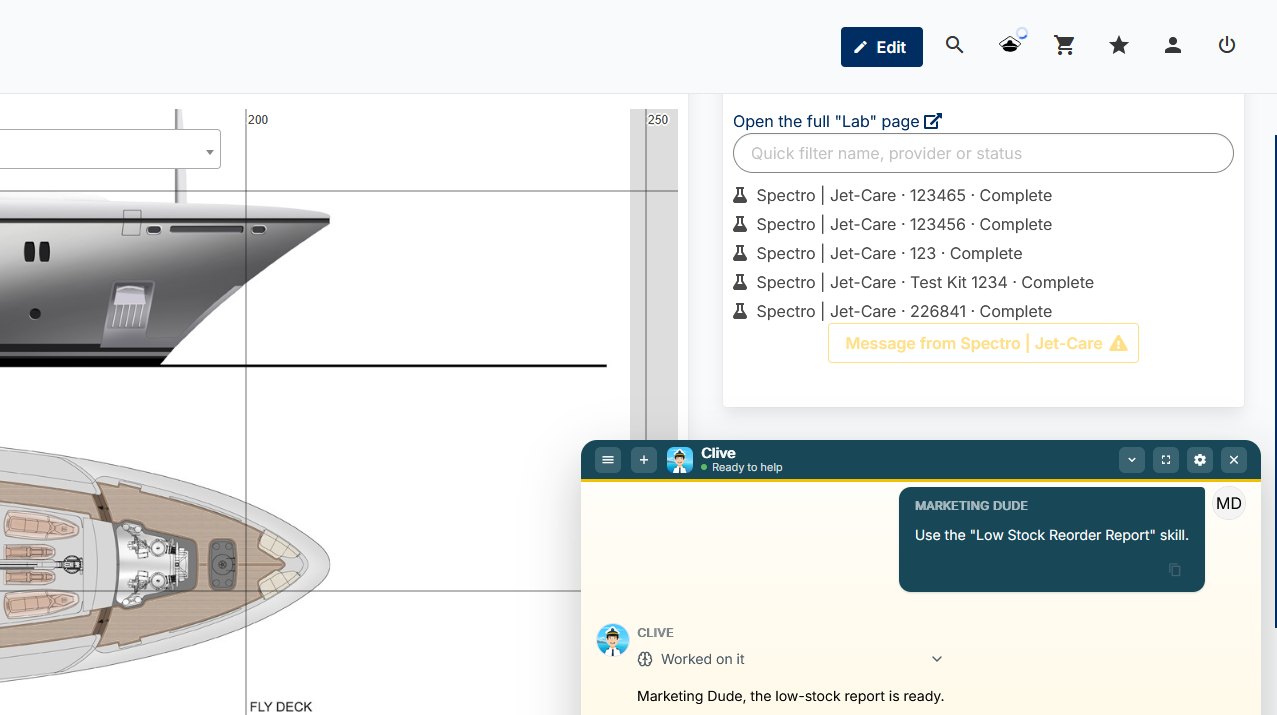
There’s no extra system to install and no extra login. CLIVE sits in the IDEA YACHT toolbar on every page, behind the captain’s hat icon (or press Shift + Space), and works in the same screens your crew use every day. New crew get answers on day one, whoever is on board.
Ask. Check. Confirm.
Ask
Open CLIVE from the hat icon in the toolbar and type your question in plain language.
Check
CLIVE finds the answer in your own IDEA data and links you to the record, so you can check it.
Confirm
You decide the next step. If CLIVE prepares a stock change, nothing happens until you press Apply.
Everything CLIVE, in one hub
The IDEA Hub is where you’ll manage CLIVE AI for your vessel. It holds the tokens you use to pay for CLIVE and a marketplace of skills that teach it the jobs you do every week.
Pay as you go with tokens
CLIVE runs on tokens held in your IDEA Hub. Every question uses some, and longer conversations, pictures and big reports use more, so you can see exactly what CLIVE is costing and top up when you need to.
A marketplace of skills
Skills are saved instructions for the jobs you repeat, like a monthly maintenance report. Install ready-made skills from IDEA, or create your own and share them with colleagues in the same role.
Questions about CLIVE
Where do the answers come from?
From your vessel’s live IDEA data. CLIVE links back to the record so you can check it, and when it quotes one of your manuals or documents it gives the file name and page number.
Which parts of IDEA does CLIVE cover?
Maintenance, Vessel Database, Stock Control and purchasing, the Crew and Guest Database, Finance transactions (read only) and Documents. It can also explain how to do things in IDEA from the user guide.
Can CLIVE change anything in IDEA?
Only stock, and only with your say-so. CLIVE prepares a card showing exactly what will happen: the item, the storage and the quantity before and after. Nothing changes until you press Apply. For everything else, it hands you the link so you can make the change yourself.
Can CLIVE see things I can’t?
No. CLIVE only ever sees what you can see. If IDEA hides something from you, it’s hidden from CLIVE too. Your administrator decides which CLIVE abilities each role gets.
Can it make reports and files?
Yes. CLIVE builds Excel workbooks, CSV files, PDF reports and zip bundles and gives you a download link in the chat. You can also hand it an Excel or CSV file, or a picture, and ask questions about it.
Can CLIVE run jobs on a schedule?
Yes. Tell it “every Monday at 07:00, do this” and it repeats the schedule back for you to confirm. Tasks can run once, hourly, daily, weekly or monthly, with up to 10 active at a time. Each result is waiting for you as a normal conversation.
Does CLIVE remember our routines?
Your conversations are saved, but every new chat starts fresh. To keep a routine, such as a monthly report you always ask for, save it as a skill. You can write your own, install one, or share it with colleagues in the same role.
What happens to our data?
Your questions, and the IDEA data CLIVE reads to answer them, are processed by an external AI provider through IDEA’s AI Hub. CLIVE works inside IDEA only, with no internet or email access. Your administrator can switch the Crew tools off.
Does it replace my crew’s judgement?
No. CLIVE answers and prepares; your crew decide. Use the link to the record to double-check anything important, and nothing changes in stock until someone presses Apply.
How do we pay for CLIVE?
With tokens, which you’ll manage in the IDEA Hub. Every question uses tokens, and longer conversations, pictures and big reports use more.
Is CLIVE on the mobile app?
Yes. CLIVE is in the IDEA YACHT mobile app, version 8.0.0 or newer.
Do we need to install anything?
No. CLIVE is part of IDEA YACHT. Open it from the hat icon in the top toolbar or press Shift + Space, with no extra system and no extra login.
Ask CLIVE yourself
Join the CLIVE AI beta and try it on your own vessel, with your own data. Or bring your questions to the IDEA Universe stand at METSTRADE for a live demo.
- Dates
- 17–19 Nov 2026
- Venue
- RAI Amsterdam
- Stand
- 08.361