25 Years of Superyacht Management Excellence

Did you know that with IDEA you can import new inventory items via Excel?

 
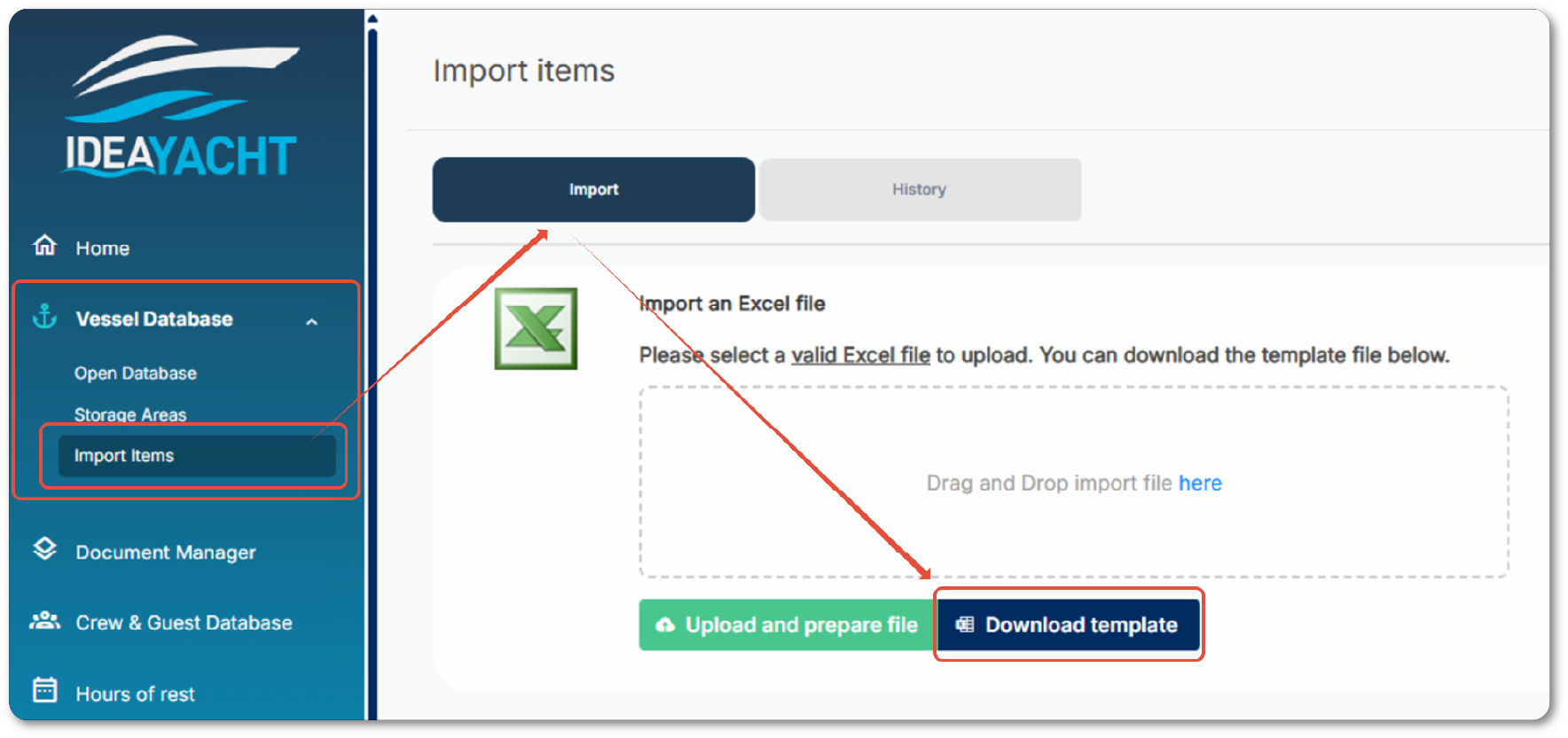
We provide the necessary Excel template for this directly in IDEA in the corresponding import page:

In order to import data you first need to download the template valid for your version by clicking the highlighted button in above screenshot. Then you need to fill out the Excel file without changing the structure or format, or adding further sheets. Be careful when you copy and paste data from other tables, and make sure you only paste values and not format information.

The minimum and therefore mandatory information (indicated in red) is the item name, domain, and group in the IDEA Vessel database.

The domain and group names must already exist in IDEA and must match the names entered in the template exactly. If the specified domain or group name cannot be found in IDEA, the import will not be possible.

Please note that imports can only be used to add new items. Existing information cannot be edited this way, for example by adding data to an item that already exists.

If you attempt to import a duplicate item (with the same item name and barcode), an item link to the original item will be created instead.

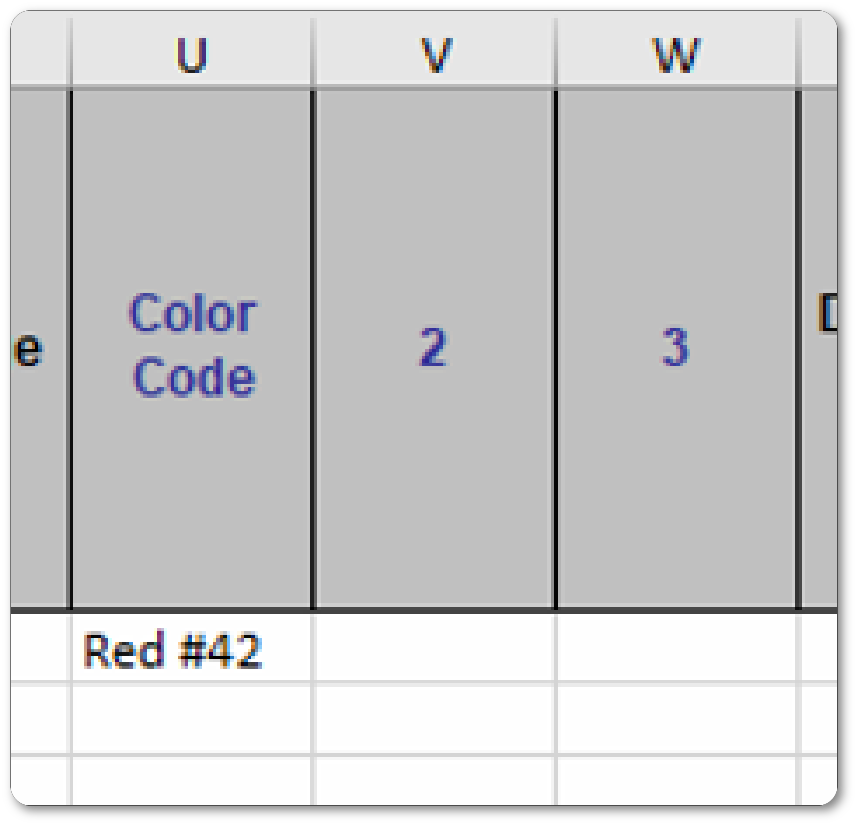
The blue-coloured columns 1, 2, and 3 can have customised names and will be added to the item’s public remarks field:
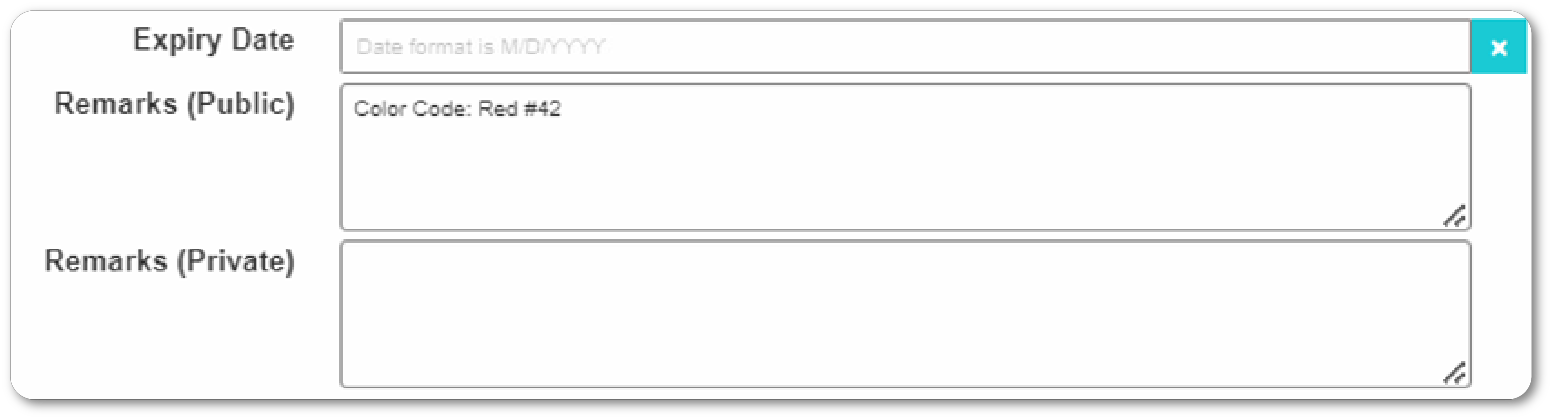
The above example then results in: 

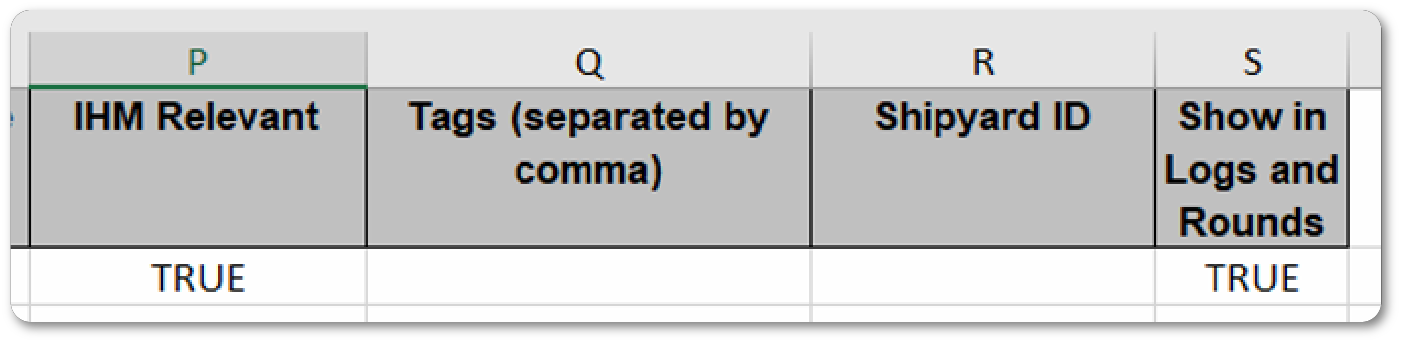
Some of the columns allow you to set/check fields in IDEA (“IHM Relevant” or the “Show in Logs and Rounds”) by entering a TRUE or FALSE.

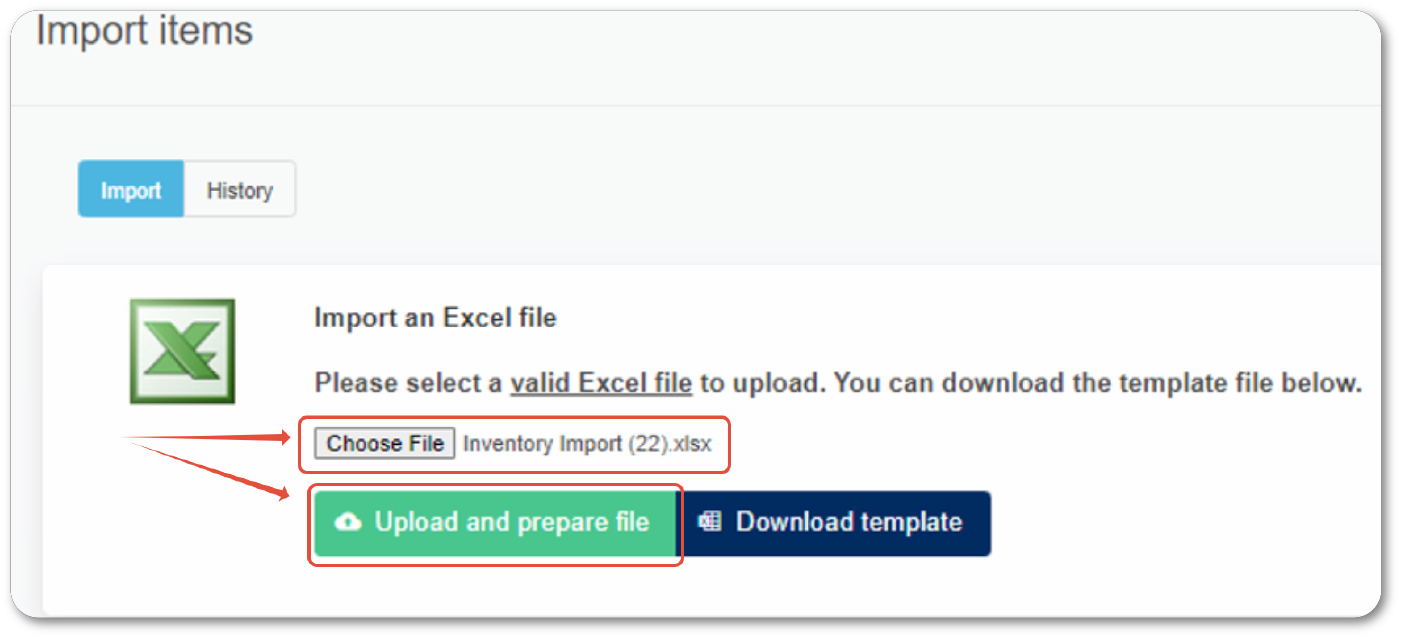
Once you have finished filling out the import sheet please upload it by choosing the file then click the upload button:

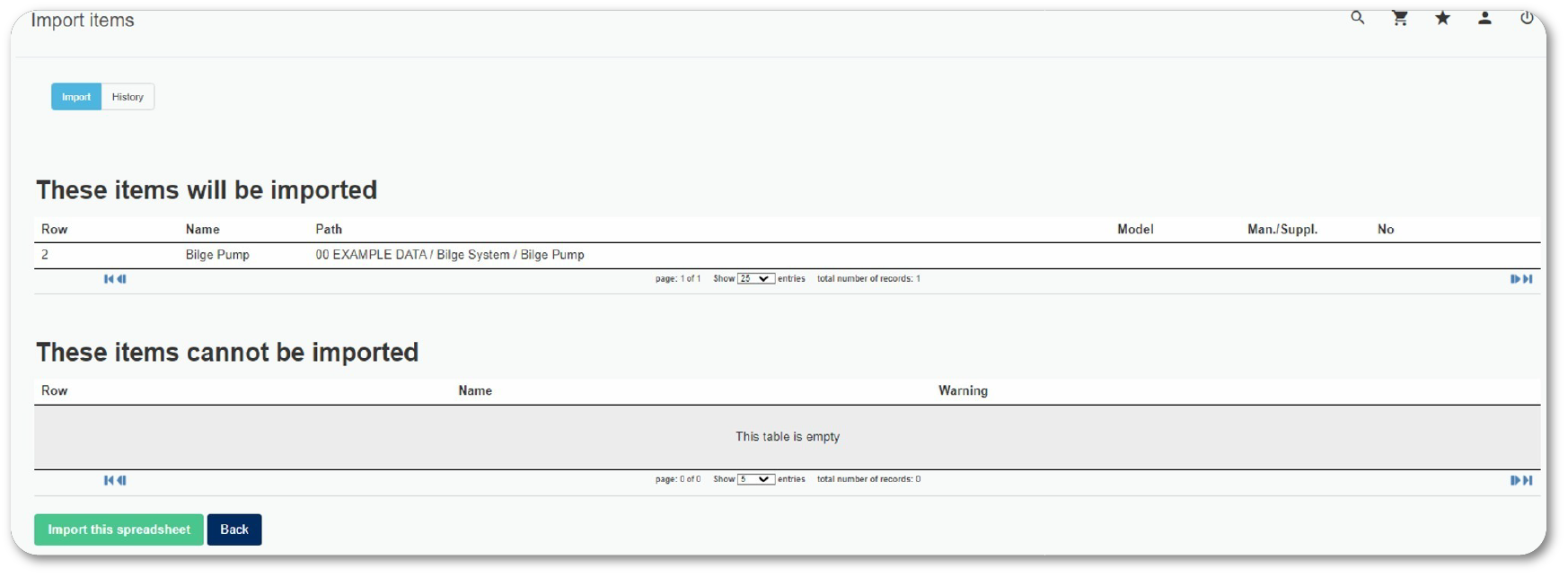
IDEA will display all data to be imported in the next page and also shows you if there is data that cannot be imported and why:

Press the Import button at the bottom once you are satisfied with the data to be imported.

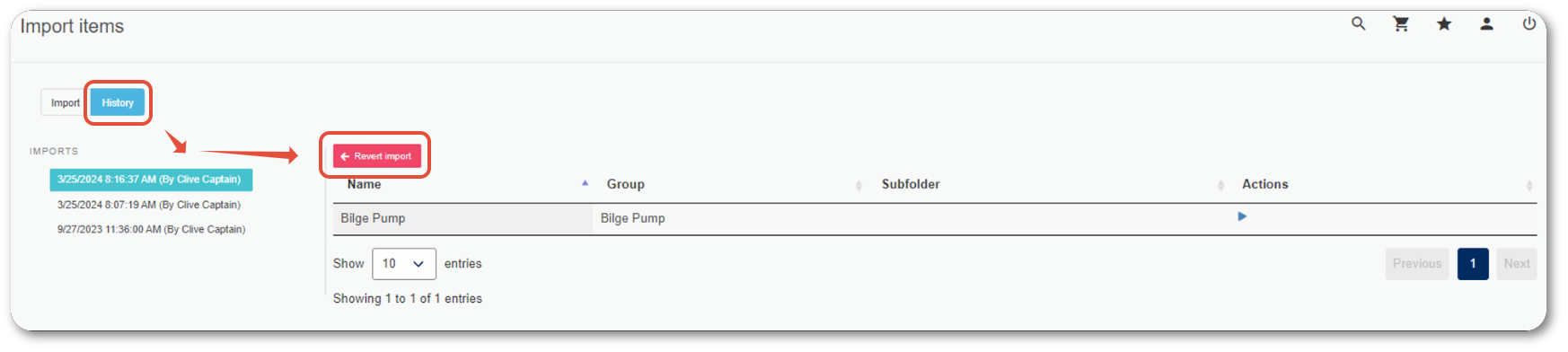
If you make a mistake, you can revert any of the last three imports by selecting the import from the History tab and clicking the Revert button:

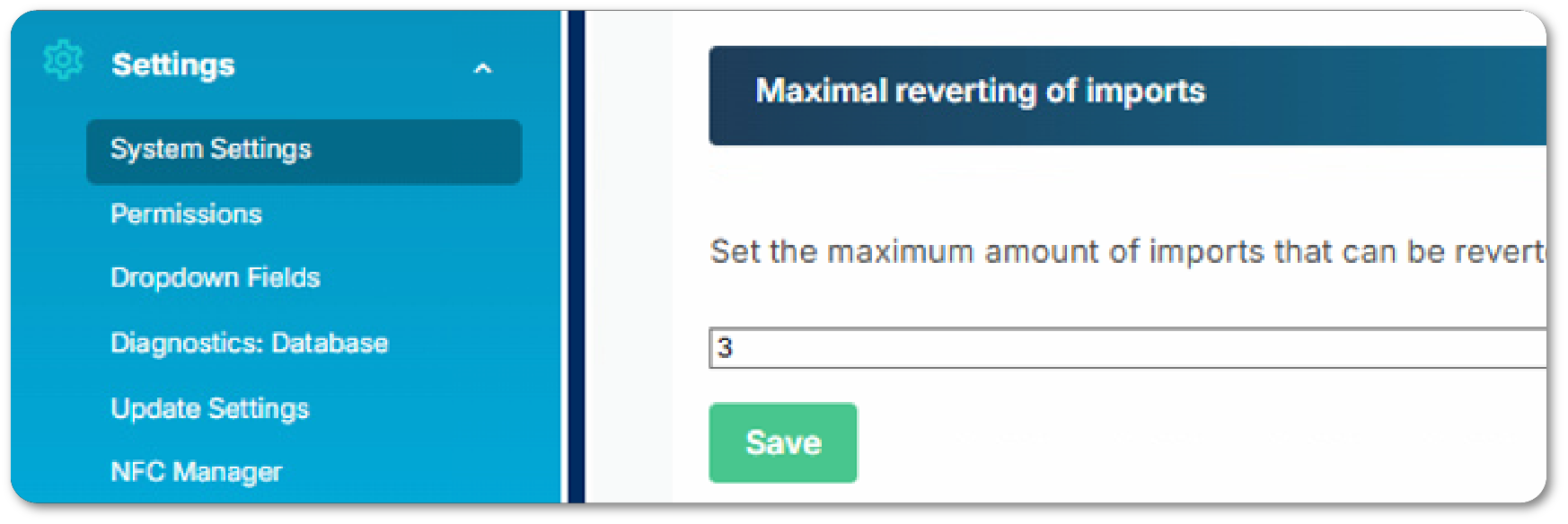
You can increase the number of available reverts in the system settings, by default the value is 3. 
 
Please note that this does not work retroactively.
Dirk, senior supporter with body and soul

Dirk has been working at IDEA since 2010, and is one of our veterans with 4,695 tickets solved in the last 2 years alone. Dirk is on hand to give expert support! This column answers your most common questions!

Some of the columns allow you to set/check fields in IDEA (“IHM Relevant” or the “Show in Logs and Rounds”) by entering a TRUE or FALSE.