Did you know that IDEA YACHT automatically calculates average spare prices for you and also displays the average total stock value?
To enable IDEA to calculate averages, it’s mandatory that each item has a currency assigned to it. If the currency assigned to your item differs from your default currency (found under Settings → System Settings), you must ensure that an exchange rate is set for this currency (Settings → Dropdown Fields → General → Currencies). This allows IDEA to convert the value into your default currency.
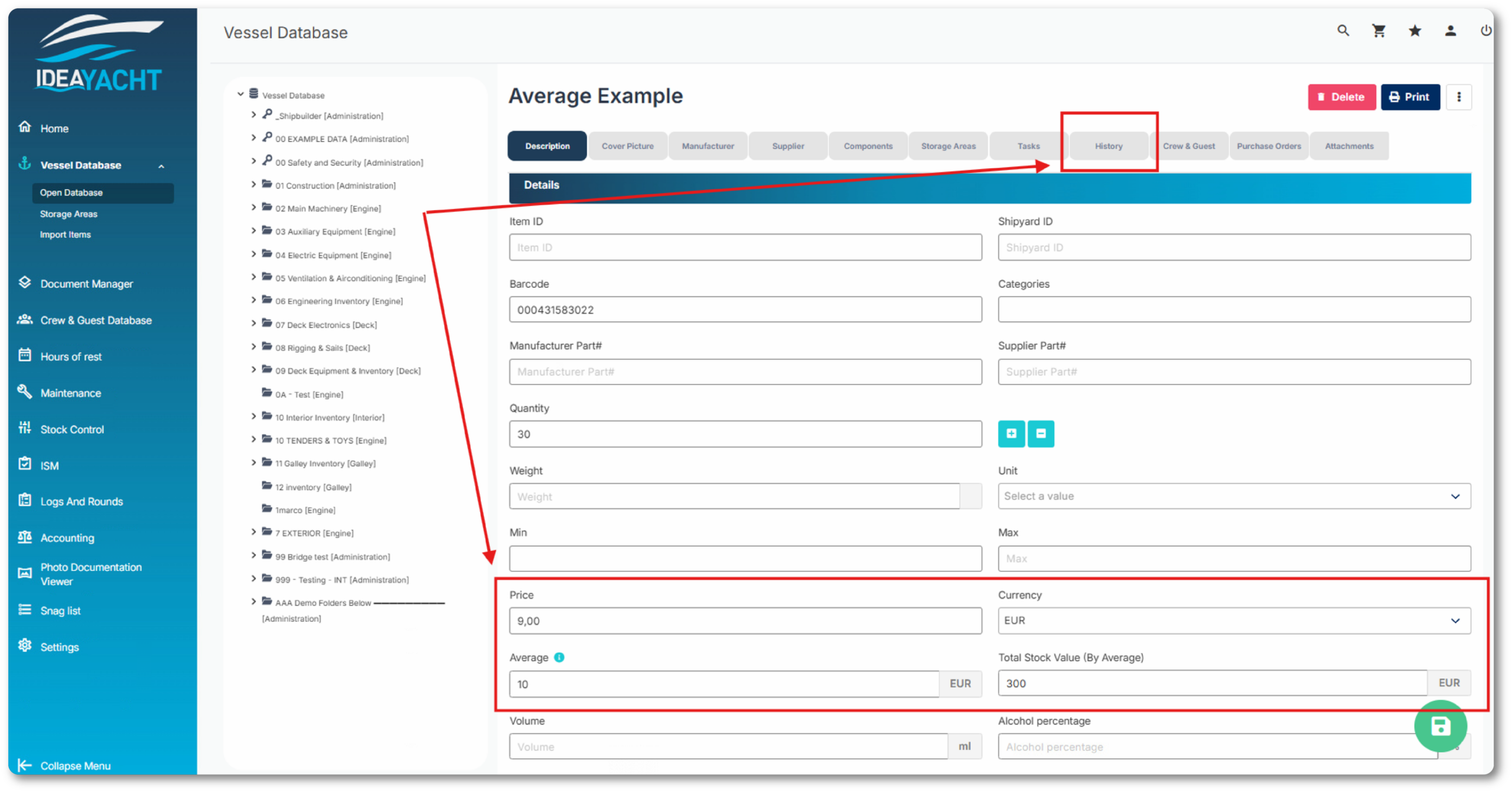
Once these prerequisites are in place, IDEA will display the average and total values (based on averages) in the item details:
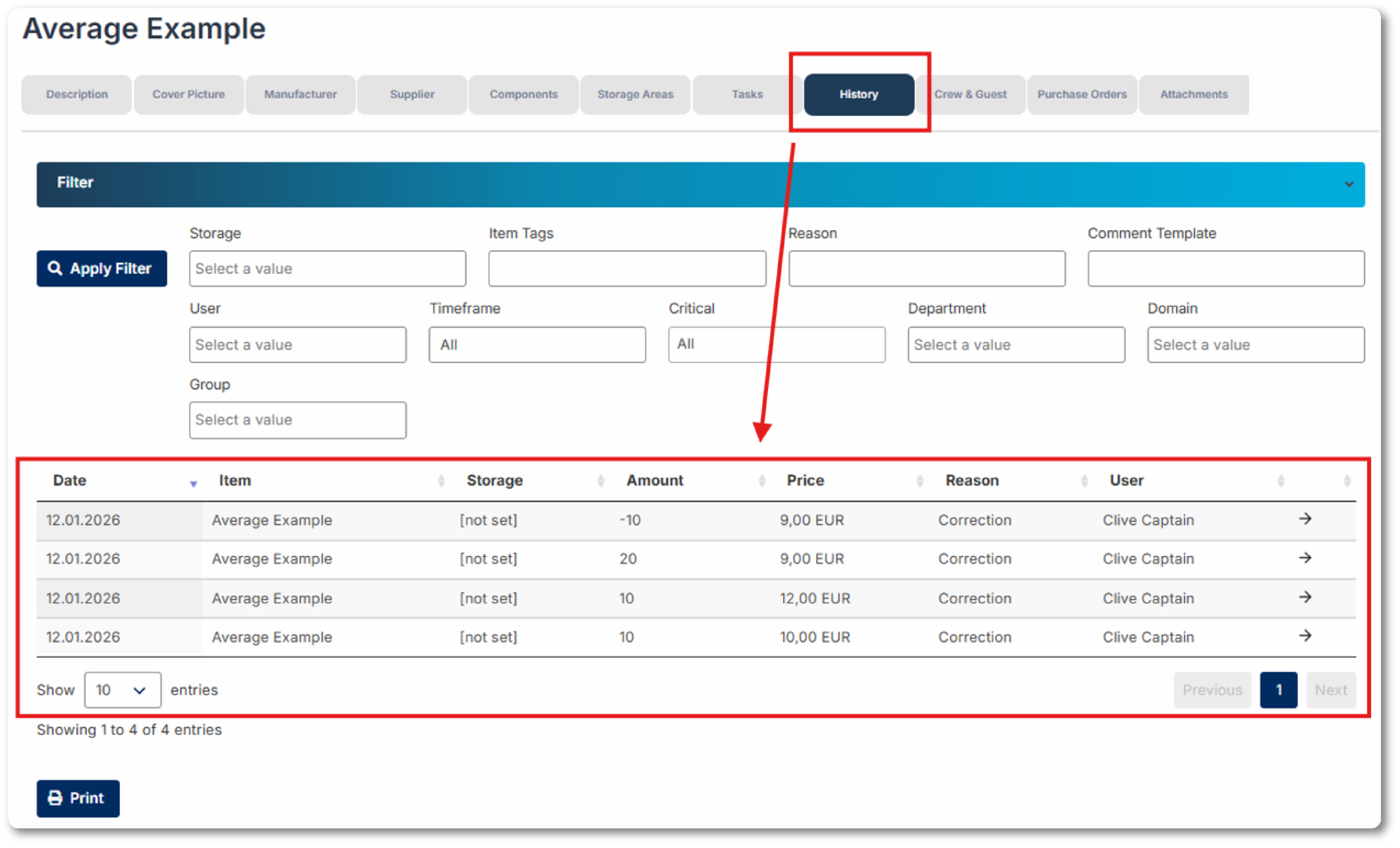
When you click on the History tab for an item, you can view all quantity changes made to that item, along with any price adjustments that were applied during those changes.
How does IDEA calculate the average price of an item?
IDEA uses the following method:
- It multiplies all positive quantity changes by their assigned prices for each change. (Note: Only positive changes are considered. Negative or “0” changes are ignored.)
- The sum of these values is then divided by the sum of all positive quantity changes.
Example:
- Initial quantity: 10 units at €10 each (total value €100)
- Added: 10 units at €12 each (total value €120)
- Added: 20 units at €9 each (total value €180)
(Quantity reduction by 10 units is not included in the calculation.)
This gives a total value of €400 for 40 units, resulting in an average price of €10.
IDEA then multiplies this average price by the current quantity (30 units) to calculate the total stock value of €300.
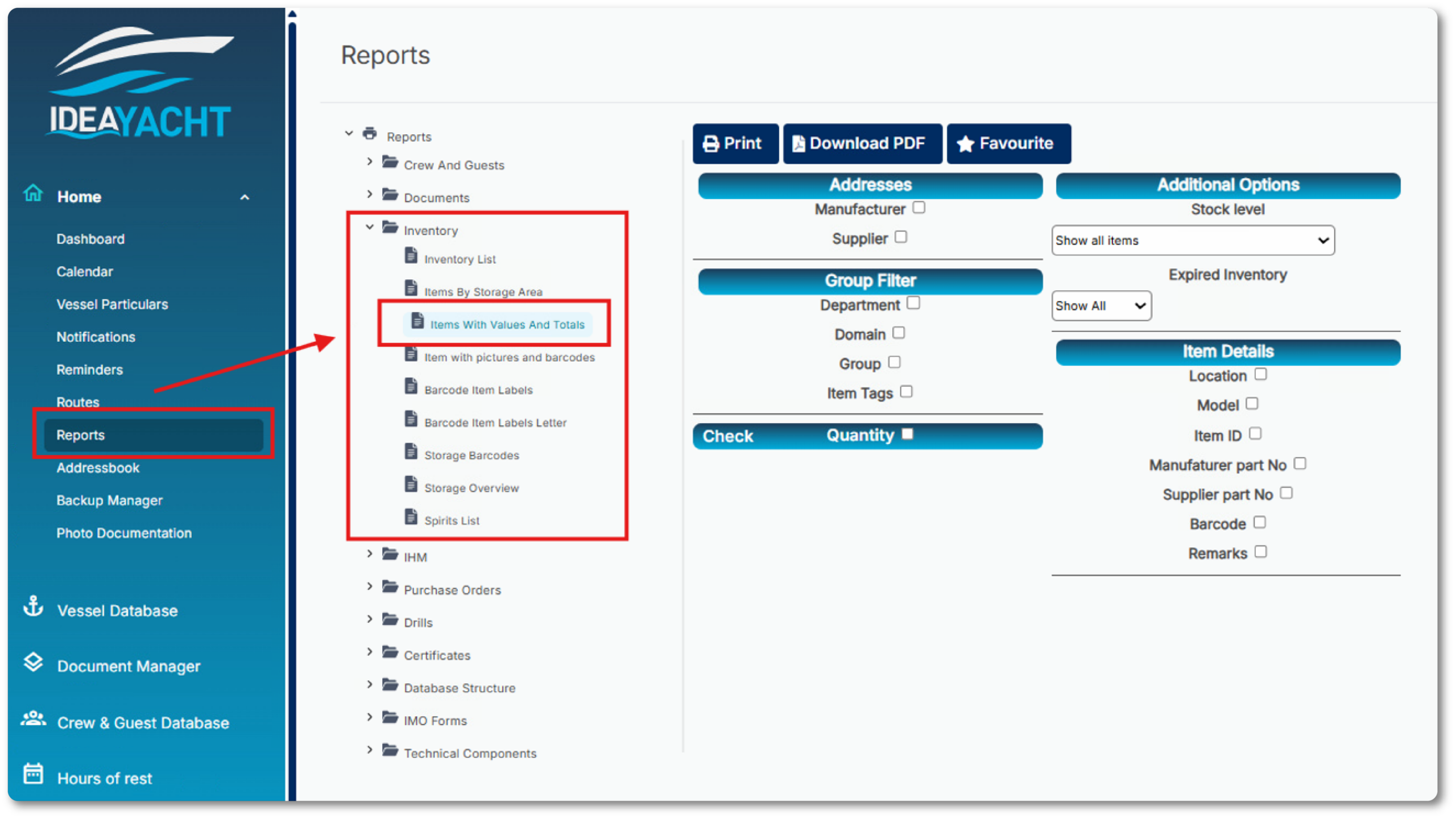
Additionally, there is a report available that provides the total values of your vessel’s stock.
Dirk has been working at IDEA since 2010, and is one of our veterans with 4,695 tickets solved in the last 2 years alone. Dirk is on hand to give expert support! This column answers your most common questions!